









1. The Hidden Danger of an Overly Bright Ring Light
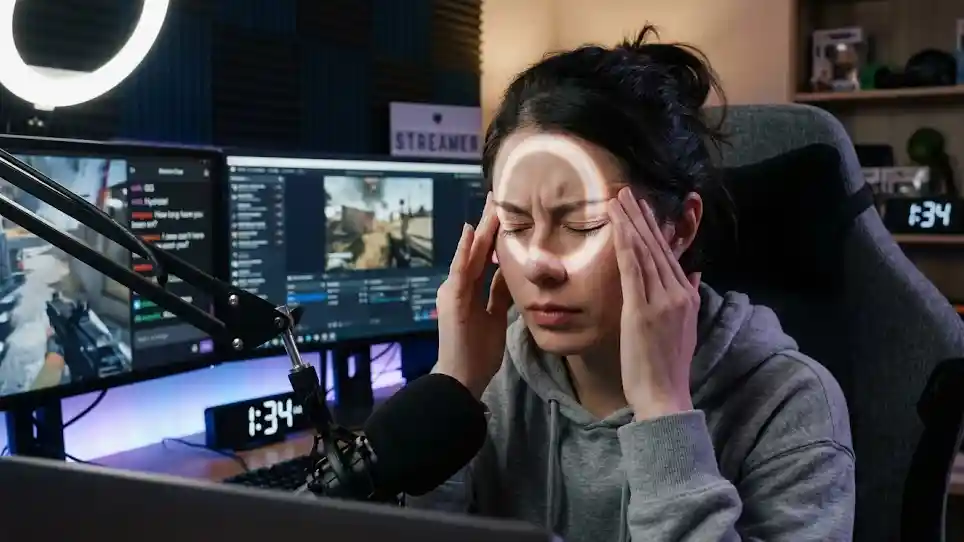
The ring light is positioned perfectly. The brightness is turned up to maximum. The camera is framed and ready to go. Everything looks crisp—until the headache sets in.
Thirty minutes into your stream, your eyes start to burn. An hour in, a dull ache forms behind your eyes. By the two-hour mark, you are squinting, rubbing your temples, and counting the minutes until you can shut everything off.
This scenario is all too common. A ring light too bright is not just an inconvenience—it is a health hazard. Many content creators assume that brighter is always better. More light means better image quality, right?
Wrong.
Excessive brightness causes eye strain, fatigue, and headaches. Over time, it can contribute to long-term vision problems. Your stream quality matters, but not at the expense of your health.
The problem affects streamers, makeup artists, video editors, and anyone who spends hours under artificial lighting. According to eye strain research for content creators, inadequate lighting conditions—including excessive brightness—are significant contributors to visual fatigue.
The good news? You do not have to choose between professional lighting and eye health. This article covers everything you need to know about avoiding headaches from an overly bright ring light.
A dimmable ring light for streaming gives you the control you need to find the sweet spot between visibility and comfort.
2. Why a Bright Ring Light Causes Headaches
2.1 The Science of Light-Induced Eye Strain
Your eyes are designed to adapt to different light levels. In bright conditions, your pupils constrict to limit light intake. In dim conditions, they dilate to let more light in.
When you sit under a ring light that is too bright for an extended period, your pupils remain constricted. This constant contraction strains the ciliary muscles and the iris. Over time, this leads to:
Eye fatigue and dryness
Difficulty focusing
Sensitivity to light (photophobia)
Headaches (often starting behind the eyes)
2.2 Blue Light and Its Effect
LED ring lights emit blue light, which has shorter wavelengths and higher energy than other colors on the spectrum. Blue light penetrates deeper into the eye and has been linked to digital eye strain and sleep disruption.
2.3 Flicker: The Invisible Culprit
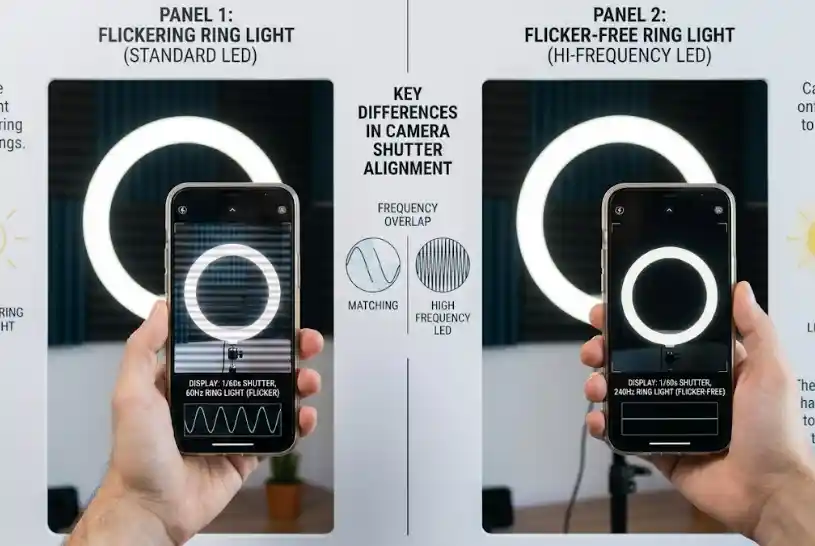
Many ring lights have an invisible flicker—a rapid pulsing of the light source that your eyes detect even if your brain does not consciously register it. This flicker causes your pupils to constantly micro-adjust, leading to fatigue and headaches over long sessions.
| Cause | Effect on Eyes | Headache Type |
|---|---|---|
| Excessive brightness | Pupil constriction strain | Dull ache behind eyes |
| Blue light exposure | Retinal stress | Sharp headache, eye fatigue |
| Invisible flicker | Constant micro-adjustments | Throbbing headache |
| Glare on screens/glasses | Extra focusing effort | Tension headache |
The flicker-free lighting standards explain why invisible flicker is a major concern for anyone using LED lighting for extended periods.
Beyond brightness, other lighting issues can also affect your eyes. Glare from glasses can also strain your eyes and cause fatigue over time. For glasses wearers, we recommend reading our complete guide to eliminating ring light glare first.
3. The Right Brightness Settings
3.1 Finding Your Optimal Brightness
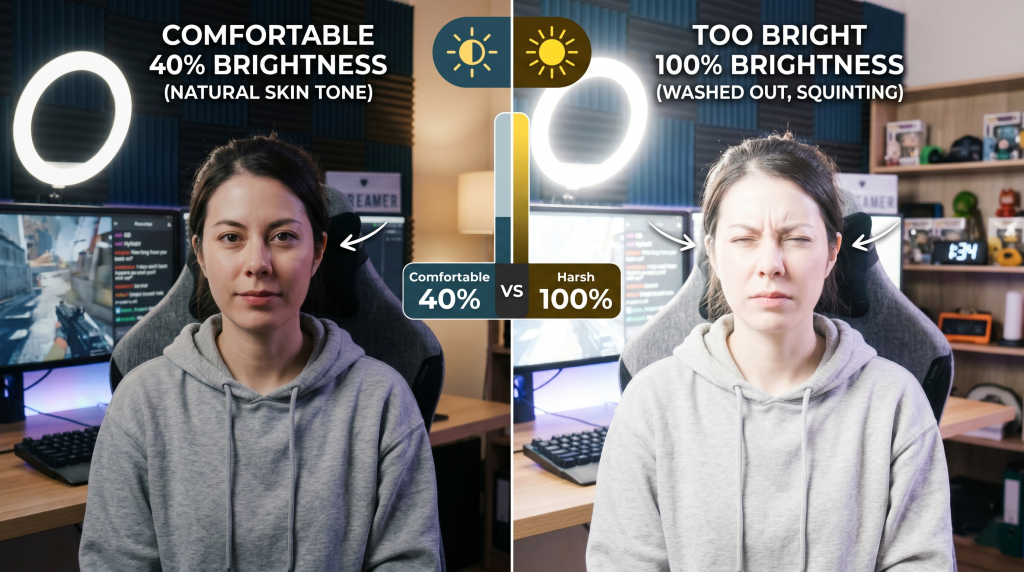
Most ring lights offer adjustable brightness from 10% to 100%. The right setting depends on your environment and the type of content you create. Here is a step-by-step method to find yours:
Start at 40% brightness as your baseline
Turn the ring light on and look at your camera preview
Gradually increase brightness until your face is well-lit
Stop immediately when you see any glare on your forehead, cheeks, or glasses
Step back 5-10% from that point for a comfortable buffer
3.2 Brightness by Environment
| Environment | Recommended Brightness | Why |
|---|---|---|
| Dark room | 20-30% | Minimal brightness needed; higher creates harsh contrast |
| Normal room light | 40-60% | The most common and versatile setting |
| Bright room (daytime) | 60-80% | Compensates for ambient sunlight |
| Product/makeup demos | 60-80% | Extra clarity for detail work, but use sparingly |
3.3 Brightness by Activity
| Activity | Recommended Brightness | Why |
|---|---|---|
| Gaming/chat streams | 30-50% | Comfortable for long sessions |
| Makeup application | 60-80% | Detail work needs more light |
| ASMR/relaxing streams | 20-30% | Low, warm light creates atmosphere |
| Product reviews | 50-70% | Shows details without washing out |
| Long sessions (4+ hours) | 30-40% | Prioritizes eye comfort over perfection |
A dimmable ring light with wide range gives you the flexibility to switch between these settings as needed throughout your workday.
4. Additional Protection Techniques
4.1 Use a Diffusion Filter or Softbox
A diffusion filter spreads light rays in multiple directions, reducing the intensity of the light reaching your eyes. This is one of the most effective ways to reduce eye strain without sacrificing illumination quality.
How to use: Clip a white diffusion fabric over your ring light. Increase brightness by 10-15% to compensate for light loss. The result is softer, more comfortable light that still provides professional-quality illumination.
4.2 The 20-20-20 Rule
This simple rule is recommended by eye care professionals worldwide:
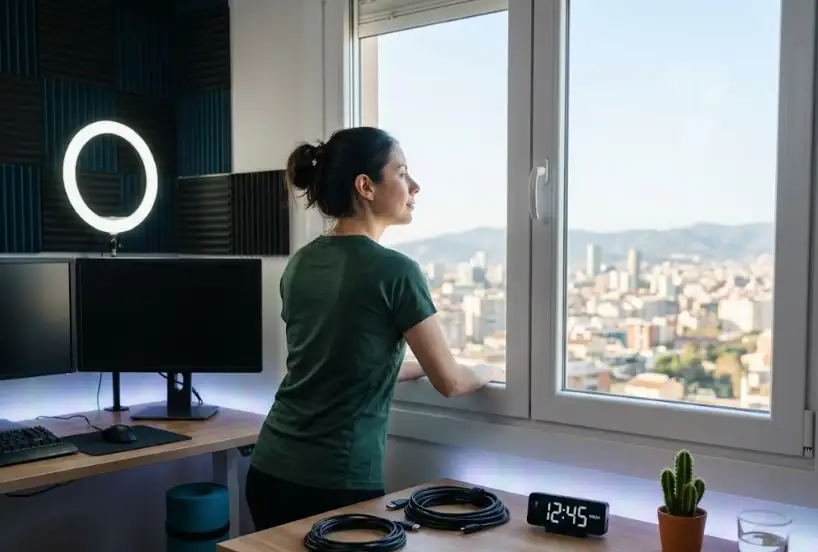
Every 20 minutes, look at something 20 feet away for 20 seconds
This gives your eye muscles a break from the constant focusing required under bright ring light conditions. Set a timer if you need a reminder.
4.3 Blue Light Blocking Glasses
Blue light blocking glasses can significantly reduce the strain caused by LED ring lights. Many streaming professionals wear them during long sessions. They filter out the high-energy blue light that contributes to eye fatigue and headaches.
4.4 Reduce Screen Brightness
Many content creators keep their monitor brightness high to compensate for bright ring light settings. This doubles the strain on your eyes. Instead:
Match your screen brightness to your ring light brightness
Reduce both simultaneously to a comfortable level
4.5 Keep Hydrated
Dry eyes are more susceptible to strain and fatigue. Staying hydrated and using lubricating eye drops can reduce the discomfort of extended ring light sessions.
The occupational eye health research confirms that environmental factors—including lighting intensity and screen brightness—are among the most significant predictors of eye strain in professionals who work under artificial light.
5. Choose a Flicker-Free Ring Light
5.1 What is Flicker?
Flicker is the rapid pulsing of a light source. Many LED ring lights flicker at a frequency that is invisible to the naked eye but still detectable by your brain and visual system. This invisible flicker forces your pupils to constantly adjust, leading to fatigue and headaches.
5.2 The IEEE 1789 Standard
The IEEE 1789 standard provides guidelines for flicker-free lighting. Look for this certification when buying a ring light. It ensures the light operates at a frequency that is safe for extended use.
5.3 How to Test for Flicker
A simple test: point your phone camera at the ring light. If you see moving lines or bands on your phone screen, the light has visible flicker. While this test does not catch invisible flicker, it is a good starting point.
| Feature | Benefit | What to Look For |
|---|---|---|
| Flicker-free driver | No fatigue from pulsing | IEEE 1789 certification |
| CRI 95+ | Better color without extra brightness | Listed on specifications |
| Wide dimming range | More control over brightness | 0-100% dimming |
| High-quality LED chips | Consistent output without fluctuation | Branded LEDs |
The IEEE 1789 explained provides detailed information on why this standard matters for anyone using LED lighting for extended periods.
A flicker-free ring light with IEEE 1789 certification is essential for protecting your eyes during long streaming sessions.
| Benefit | Why It Matters for Makeup Artists |
|---|---|
| Even, shadow-free light | No unwanted shadows on client’s face during application |
| True color rendering (CRI 90+) | Foundation shades appear accurate |
| Ring-shaped catchlight | Eyes look vibrant in content and photos |
| Adjustable brightness & color temp | Adapts to different skin tones |
6. When to Upgrade Your Ring Light
If you have tried adjusting settings, adding diffusion, and using blue light glasses but still experience headaches, it may be time to upgrade.
Signs You Need a New Ring Light:
Your current ring light flickers visibly or invisibly
The brightness range does not go low enough (minimum > 30%)
Your ring light does not list CRI or flicker specifications
You have been using the same ring light for over 3 years (LEDs degrade over time)
| Feature | Why It Matters |
|---|---|
| Flicker-free certification (IEEE 1789) | Prevents invisible flicker that causes headaches |
| Wide dimming range (0-100%) | Lets you dial in the perfect brightness |
| CRI 95+ | Professional color without excessive brightness |
| Diffusion included or compatible | Softens harsh light |
| Adjustable color temperature | Allows warmer, less harsh light for evening streams |
A professional ring light with eye-safe features should include all of these specifications to ensure your long-term eye health.
| Key Takeaway | Action |
|---|---|
| Brightness | Use 30-50% for most work; 60-80% only for detail |
| Flicker | Upgrade to IEEE 1789 certified flicker-free |
| Diffusion | Add a filter to soften harsh light |
| Blue light | Use blue light blocking glasses |
| Rest | Follow the 20-20-20 rule |
| Hydration | Keep water nearby and use eye drops if needed |
Other common issues may affect your streaming experience. Not bright enough can also cause strain as your eyes struggle to see details in dim conditions. Consider which problem matches your situation before upgrading.
A ring light that is too bright can cause real harm—headaches, eye strain, and long-term vision problems. But with the right settings, accessories, and equipment, you can achieve professional lighting quality without sacrificing your health.
Start with proper brightness settings (40-60% for most users). Add diffusion to soften the light. Invest in flicker-free and CRI 95+ lighting. And always remember to give your eyes regular breaks.
A note from Seminglight – We manufacture professional ring lights for streaming with flicker-free IEEE 1789 certification, CRI 95+ LEDs, and a wide 0-100% dimming range. Your eye health matters to us. Contact us for volume pricing or custom OEM solutions.